A fan about me page for your link in bio
Your link in bio,with your favorites.
Your social links, favorite works and bias list, in one URL.
From Google, logve receives and uses only a number that identifies your account, your email address, and your name. It never receives your password or the contents of your Gmail.
- 4 layouts
- 3 looks
- QR when you meet
Your links,your favorites, your bias.
All the scattered parts of you, on one card.
4 layouts. 3 looks.
Choose to fit how many links you have and what you want to show. Tap to switch the preview.
Layout
Link style
- @riley_logDaily logs and thoughts
- CoversA new cover every month@riley
- ArtFan art of my faves
Choose which links each person sees
For each card mode you make public, such as Hobby, Intro or Work, choose which links and favorites to show. Work contacts don't have to see your hobby accounts.
Same card when you meet
The card in your bio can be handed over with a QR code when you meet. It stays in the receiver's card holder, and if you love the same work, its edge lights up.
A top 9 image, too
The first 9 oshi and favorites on your card, in one image for social media. Choose from 3 designs.
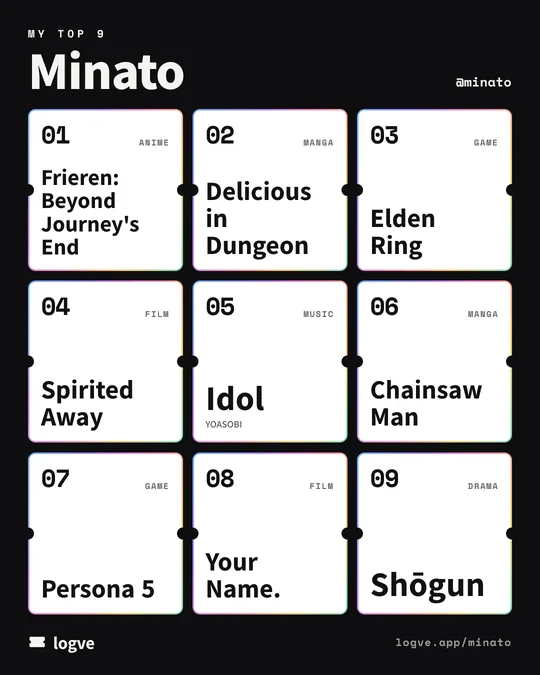
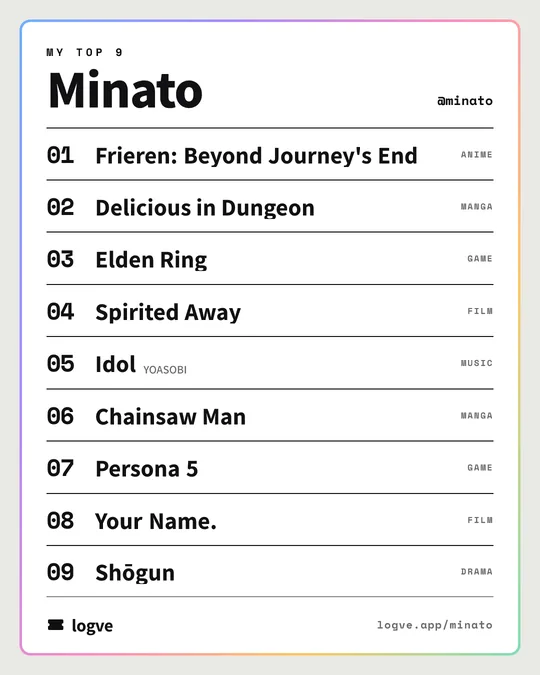
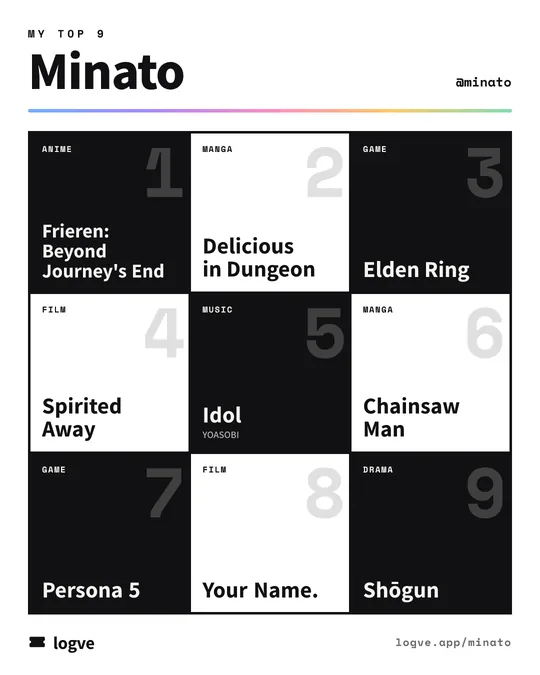
14 kinds of favorites
Works, people, places. The tab on each stub shows what kind it is.
Below your links,your card of favorites.
Favorite works as ticket stubs, and your bias list with ranks and a one-liner. Even people meeting you for the first time can see what you love.
- 01FFernFrieren
Calm, and the strongest of them all
- 02MMarcilleDelicious in Dungeon
I love her face when she eats
- 03HHitori GotōBocchi the Rock!
Shy, until she picks up the guitar
In three steps
- Step 1
Add your links
On the Card screen, tap "Edit" on "Links page" under "Share on social" to open "Front picks and links." There you can add up to 10 links to your social accounts or shop pages, each with a label and a description of up to 30 characters. If you don't have a Public mode yet, tap "Make a public card and links page" and choose a mode to make public. Links appear on your card in order, and you choose which modes show each one.
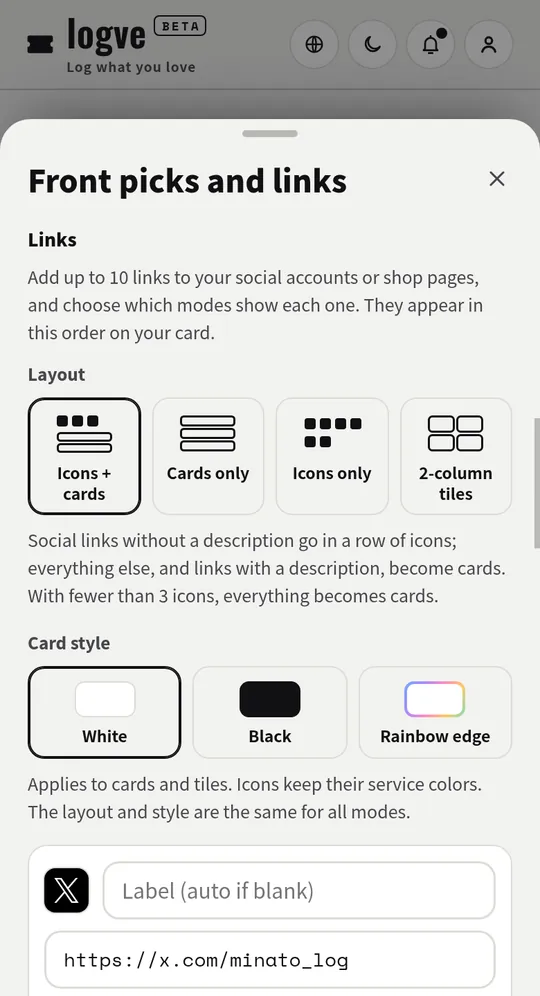
- Step 2
Put it in your bio
Under "URL for your profile" on the same screen, you'll find a URL with just your ID. Put it in your X or Tumblr bio, and anyone who taps it can open the front of your card and your links. You choose one Public mode for that URL to open.
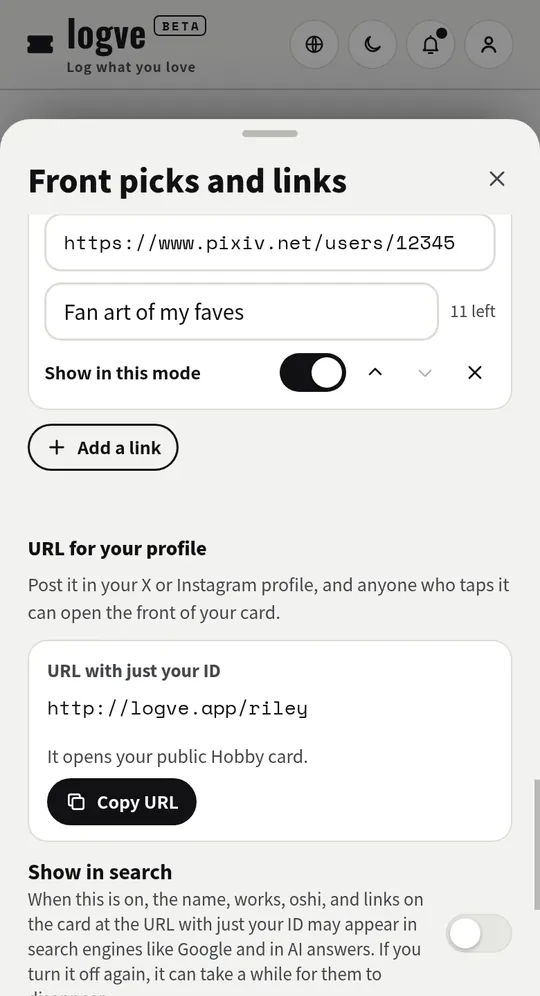
- Step 3
Icons, @usernames and your favorites
Links to X, Instagram and similar services show the service's icon and the @username read from the URL. Social links without a description are grouped in a row of icons, and links with a description appear as cards. Below the links, people who aren't logged in see up to 3 works you picked (and up to 3 oshi if you choose), and logged-in people see your bias list and your favorite works.
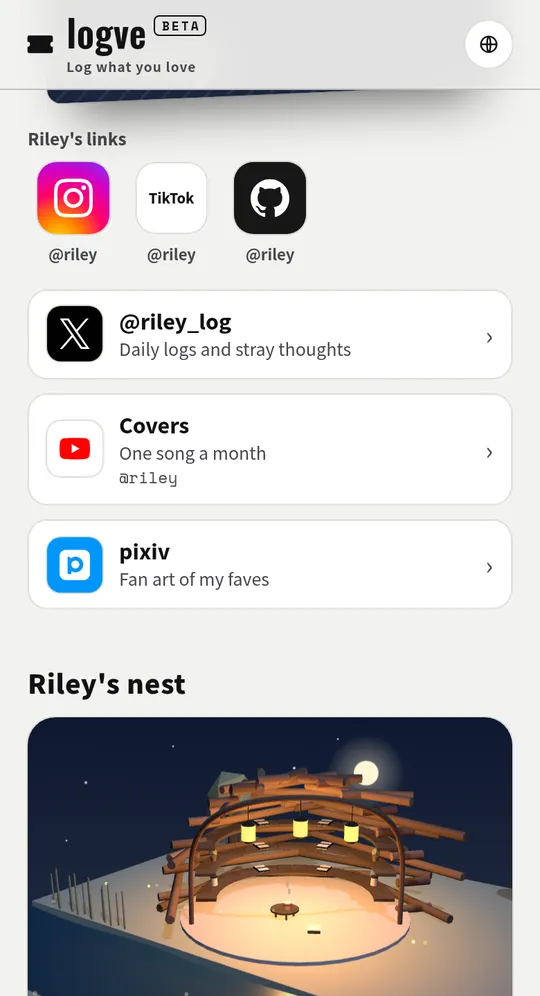
The images show the screens of a sample member.
The images show the screens of a sample member.
FAQ
Can I put my card in my X or Instagram profile?
Yes. Set a card mode to Public and it opens from a URL with just your ID. Below the front, you can show up to 3 works you love and links to your social media or shop pages. Your other works and oshi stay visible only to people who accept your card. In a Friends-only mode, works and links do not appear on the front.
Which links in my link in bio get an icon?
X, Instagram, YouTube, pixiv and other services are recognized by the URL's domain and shown with their icon. When the URL includes a username in a form logve can read, the @username is shown too. Links that aren't recognized are shown with a chain icon and the host name.
Does it cost anything?
logve is currently free to use.
Links and favorites,on one card.
From Google, logve receives and uses only a number that identifies your account, your email address, and your name. It never receives your password or the contents of your Gmail.