Make a digital self-intro card with your oshi
Your oshi and favorites,on one card.
Pick the works and oshi you love, and make them your digital self-intro card. Choose the typeface, the color, and what each person gets to see.
From Google, logve receives and uses only a number that identifies your account, your email address, and your name. It never receives your password or the contents of your Gmail.
- 34 typefaces
- 7 colors
- 3 modes
Your paper self-intro card,now one that lasts.
Love something new? Just add it to your card. No need to start over.
34 typefaces. 7 colors.
Choose a name typeface from 5 styles: serif, sans, rounded, handwritten and decorative. 3 patterns and 5 layouts. Tap to switch the preview.
Name typeface(one per style, out of 34)
Color
Pattern
Layout
Show different favorites to different people
With 3 modes (Hobby, Intro and Work), you can give your card a different look and choose which works and oshi it shows.
Who can see it, mode by mode
For each mode, choose from 3 options who can see what's inside your card.
- PublicAnyone can see the front. Logged-in people can see inside.
- Friends onlyInside, only people who accept your card and members of your groups.
- Only meFront and inside, only you.
Rank your oshi, with a one-liner
Put your oshi in order and add a one-line highlight to each one. Characters, singers, players.
14 kinds of favorites
Works, people, places. The tab on each stub shows what kind it is.
Hand it over witha QR code or a URL.
Tap "Hand over card" and a QR code appears. The card goes into the other person's card holder, and if you love the same work, its edge lights up.
After you hand it over: Exchange cards of what you love by QR code at events
Cards from people who love the same work light up at the edge.
In three steps
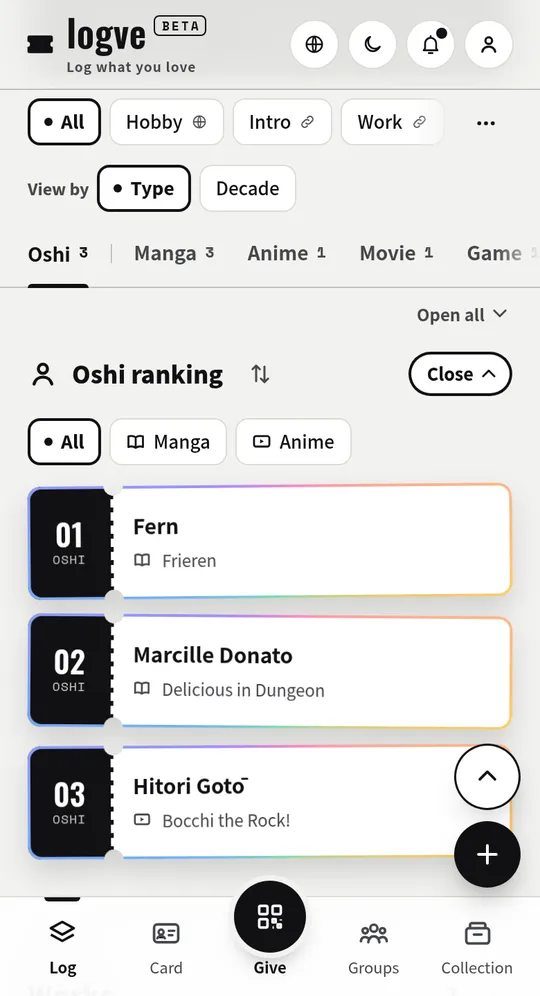
- Step 1
Pick your oshi and favorites
From the works and oshi in your log, choose what goes on your card. Rank your oshi and add a one-line highlight to each one. To learn how to log, see Keep the works you love and your oshi in one log.
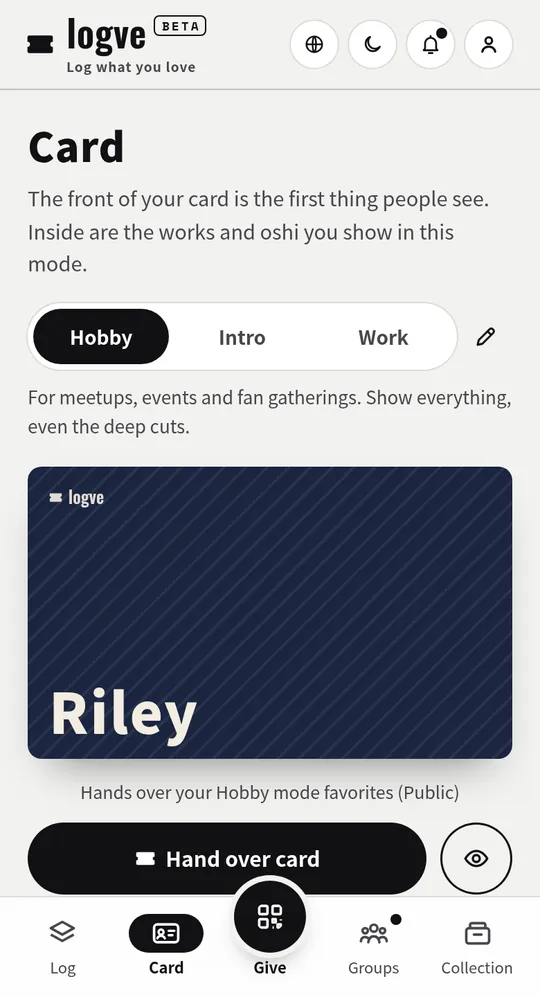
- Step 2
Choose the look
Enter your name, reading and quote, then choose the typeface, color, pattern and layout. Each mode can have its own look, and you can copy a look you like to your other modes.
- Step 3
Hand it over by QR code or URL
Tap "Hand over card" and choose the mode to hand over, and a QR code appears. For someone who isn't nearby, send the URL.
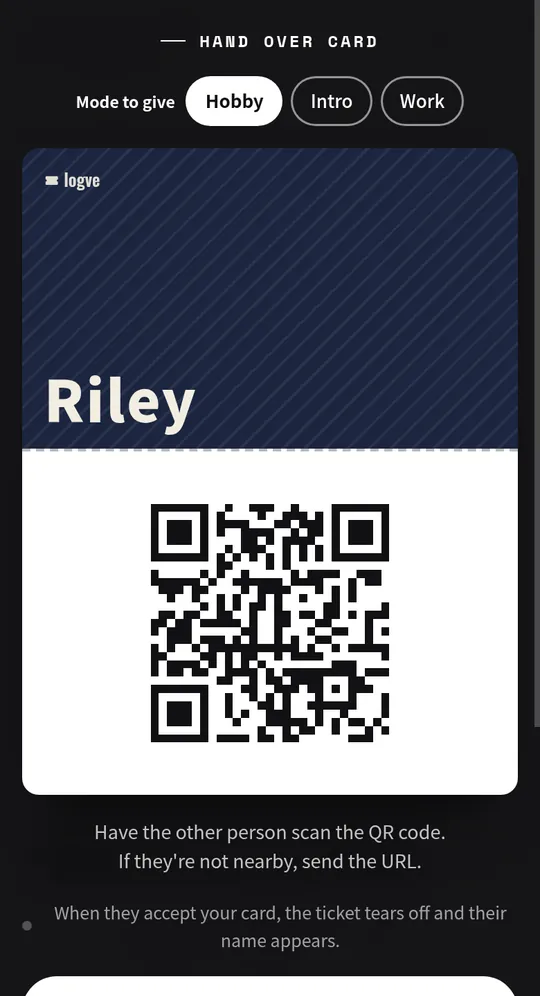
The images show the screens of a sample member.
The images show the screens of a sample member.
FAQ
Who can see what's inside my card?
Anyone with the URL can see the front of your card (name, reading, ID, quote and design), except for modes you've set to "Only me". The works and oshi inside are visible to logged-in people who accept your card, people you give your card to, and members of the groups you join with that mode. In a "Public" mode, any logve member can see them. See the Privacy Policy for details.
Can I give my card to someone who doesn't use logve?
Yes. When they open the QR code or URL, they can see the front of your card without logging in. To accept the card into a card holder, they start logve with a Google account.
Does it cost anything?
logve is currently free to use.
Your oshi talkstarts with your card.
From Google, logve receives and uses only a number that identifies your account, your email address, and your name. It never receives your password or the contents of your Gmail.