Exchange cards of what you love by QR code at events
After you meet,favorites keep you close.
Hand over your card by QR, and it goes into their card holder. Shared favorites light up, and conversation starters and a weekly look-back come your way.
From Google, logve receives and uses only a number that identifies your account, your email address, and your name. It never receives your password or the contents of your Gmail.
- 6 cards per page
- Up to 30 per group
- Friday look-back
After “nice to meet you,”keep talking favorites.
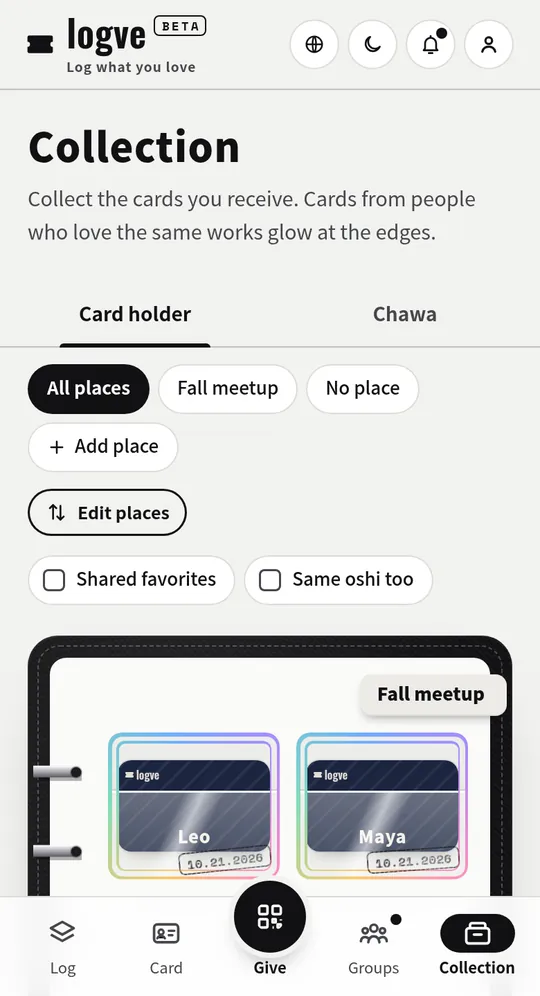
Cards you accept line up in your card holder, grouped by where you met.
Into your card holder, by where you met
Cards you accept are grouped by where you met. Cards from people who share your favorites get a glowing edge, plus an inner edge if you share an oshi too. Tap to switch places.
Where you met
Shared favoritesSame oshi too (inner edge)
Your next topic is already waiting
Questions to get talking come from the works and oshi you share. Mark the ones you talked about, and keep notes too.
“Me too” and “Curious”
Tap “Me too” or “Curious” on the works on their card. The owner gets a notification.
A look back at your week, every Friday
Reactions you got, cards that were accepted, and what happened in your groups, wrapped up every Friday at 8 p.m. Japan time. Quiet weeks get nothing.
Bring your favorites together as a group
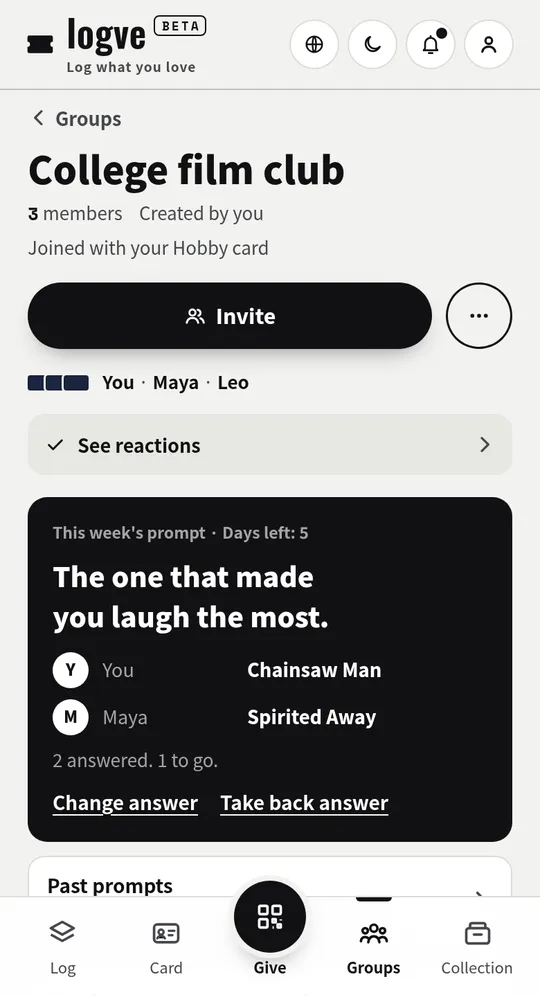
In groups of up to 30 people, see everyone's ranking and what you have in common. A new prompt comes out every Monday (Japan time).
From an instant roomto swapping cards.
For 24 hours after an instant room closes, people who log in can swap cards with others who chose to swap, and make a group with them.
How instant rooms work: Instant rooms for meetups, conventions and Discord
In three steps
- Step 1
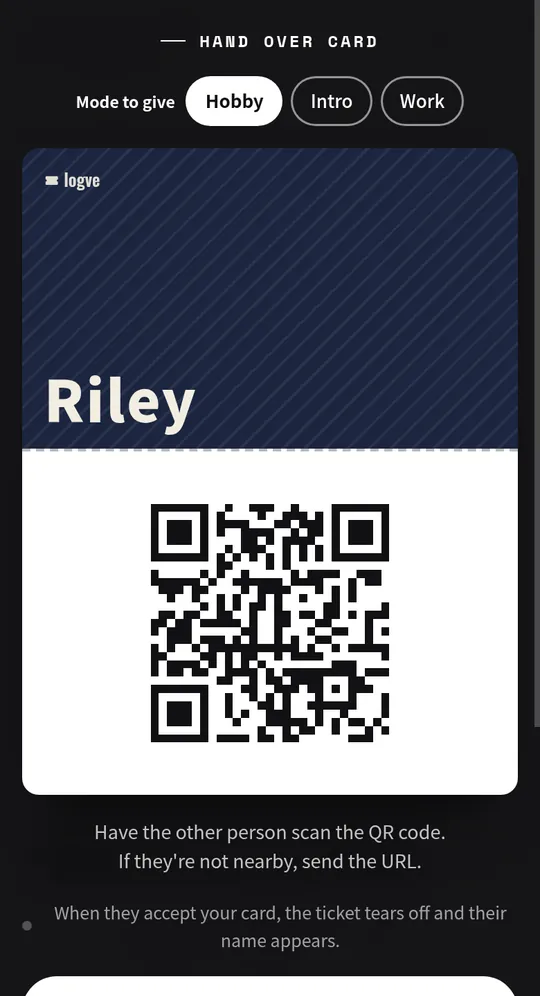
Show your QR code
Tap "Hand over card" and choose a mode to show a QR code, then have the other person scan it. When they accept, their name appears on your screen. If they're not nearby, send the URL.
- Step 2
Shared favorites glow
Cards you accept line up in your card holder, grouped by where you received them. Cards from people who love the same works have a glowing edge. Chawa suggests questions to get a conversation going, based on the favorites and oshi you share.
- Step 3
Keep it going in a group
Create a group with the people you met, and see everyone's ranking and what you have in common. In groups, a new prompt comes out each week; answer by picking one thing from your log, and you'll see everyone's answers.
The images show the screens of a sample member.
The images show the screens of a sample member.
FAQ
Can I give my card to someone who doesn't use logve?
Yes. When they open the QR code or URL, they can see the front of your card without logging in. To accept the card into a card holder, they start logve with a Google account.
Does the other person find out when I accept their card?
Yes. When you accept a card, its owner gets a notification with the name on your card. If they have the hand-over screen open when you accept, your name also appears on their screen.
Does it cost anything?
logve is currently free to use.
Pick up where you left off,with what you love.
From Google, logve receives and uses only a number that identifies your account, your email address, and your name. It never receives your password or the contents of your Gmail.