Keep the works you love and your oshi in one log
Everything you love,in one place.
Manga and anime, artists and teams. Keep the works and oshi you love in one log, and add a ranking and a one-line highlight.
From Google, logve receives and uses only a number that identifies your account, your email address, and your name. It never receives your password or the contents of your Gmail.
- 1,000 favorites
- 500 oshi
- 140 chars per note
Old favorites,and new obsessions.
Your log shows no dates, so you can add favorites from years ago all at once.
Search, and suggestions appear
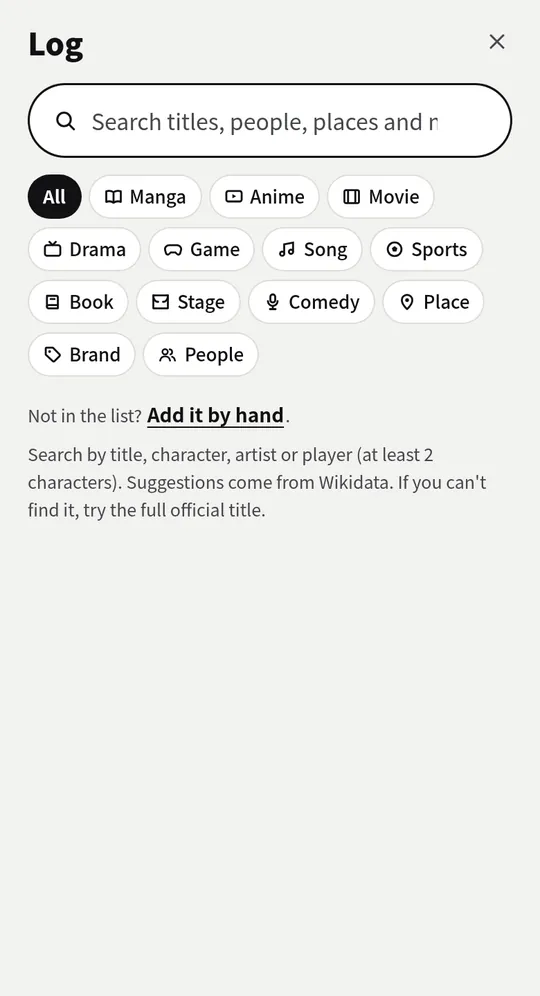
Search by title, character, artist or team, and suggestions come from Wikidata. If something isn't there, you can add it by hand. Tap to switch the type.
- MangaDelicious in DungeonRyōko Kui · 2014
- AnimeDelicious in Dungeon2024
- characterMarcilleDelicious in Dungeon
Suggestion data: Wikidata (CC0)
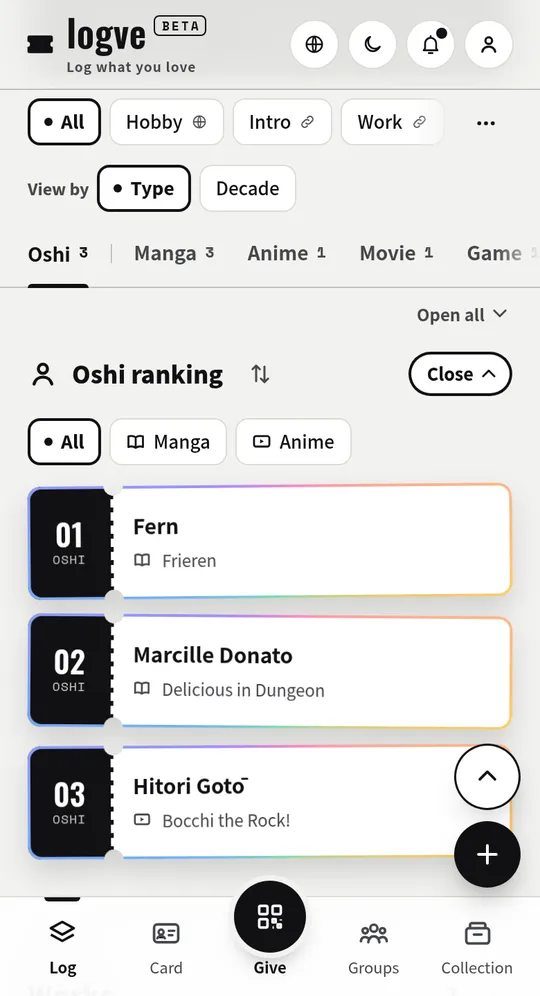
One oshi ranking, across every work
Your oshi have an overall ranking, and a separate ranking within each work.
Rank them, or just line them up
Rank each type in your own order. Or line them up without numbers.
Highlights up to 140 characters
Add a line on why you love it, for works and oshi alike. When it's on your card, people who receive your card can see it too.
Works, and people too
You can log favorites in 14 types. People can have one of 11 roles, such as actor, voice actor, artist or player.
Your log is yours alone.What goes on your card,you decide.
Only you can see your log. For each mode, you choose which favorites and oshi go on your card. The order follows your log. Your favorites aren't just for storing. The more you tend them, the more they become a card worth handing over.
You can export your whole log as a ZIP, and it's deleted when you leave. How to make your card: Make a digital self-intro card with your oshi
On your Hobby card: 4
The favorites you logbecome a nest.
Your favorites become bundles of tickets by type, lined up on the nest's shelves. Your oshi are the lamps hanging at the entrance. The more you log, the more the nest takes shape, and flowers, a pond, fish and ducks grow around it. Your nest appears at the top of your log, and you can turn it with your finger.
What grows
- 10 ticketsFlowers, a pond, a bigger nest
- 30 ticketsFish, the biggest nest
- 60 ticketsDucks
- 100 ticketsStorehouse (a paulownia box per 50 tickets)
- 150 ticketsTrees
- 200 ticketsLotus (a bloom per kind of favorite)
- 300 ticketsVe weathervane
The dam rises and the pond widens a little as your tickets grow.
In three steps
- Step 1
Pick from suggestions
Search by title, character, artist or player, and suggestions come from Wikidata. If something isn't there, you can add it by hand.
- Step 2
Add rankings and highlights
Your oshi and your works can each be put in order. Add a one-line highlight to each favorite and oshi.
- Step 3
Choose what goes on your card
In your log, select a mode and tap it again to choose which favorites and oshi go on that mode's card. The order follows your log. To learn how to make your card, see Make a digital self-intro card with your oshi.
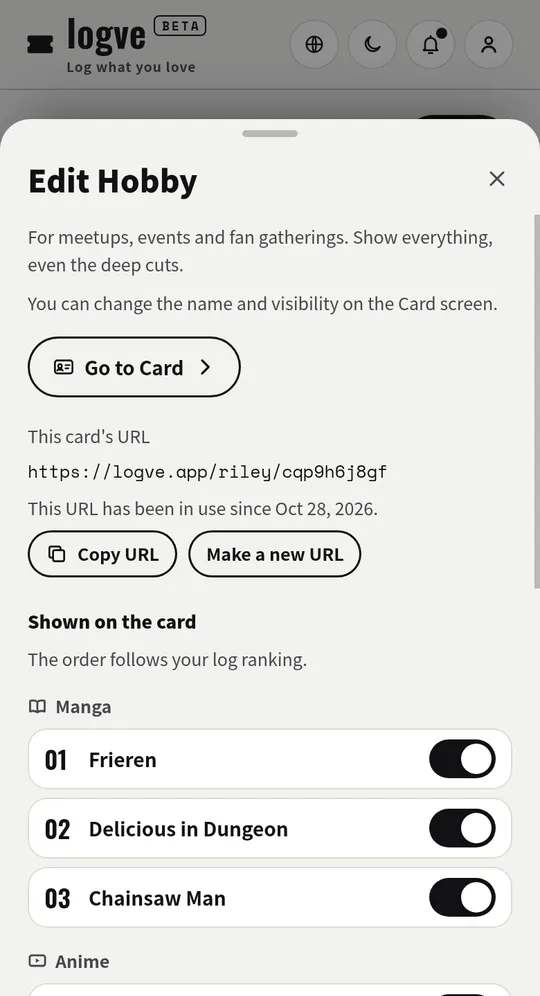
The images show the screens of a sample member.
The images show the screens of a sample member.
FAQ
Can I export what I've logged?
Yes. Use "Export your data" in Settings to save the works you love and your oshi, highlights and rankings, modes and cards, card holder and more in a single ZIP file.
Is my data deleted when I leave logve?
Yes. When you leave from "Delete account and data" in Settings, your cards immediately stop opening for anyone, and after a 30-day grace period we delete the data you registered. If you log in again within 30 days, you can cancel leaving. What remains after deletion is described in the Privacy Policy.
Does it cost anything?
logve is currently free to use.
Start loggingwhat you love.
From Google, logve receives and uses only a number that identifies your account, your email address, and your name. It never receives your password or the contents of your Gmail.